

Flag football · The whole job, one app
Plan. Coach. Improve. Dominate.
The fastest play designer in flag. A scout library of the looks you'll face. A workspace that ranks your calls against them. Game logging that feeds the results back in. And the chat, schedule and announcements that keep every family in the loop. Built by coaches, for coaches, parents and players.
No card. The play designer is free forever.
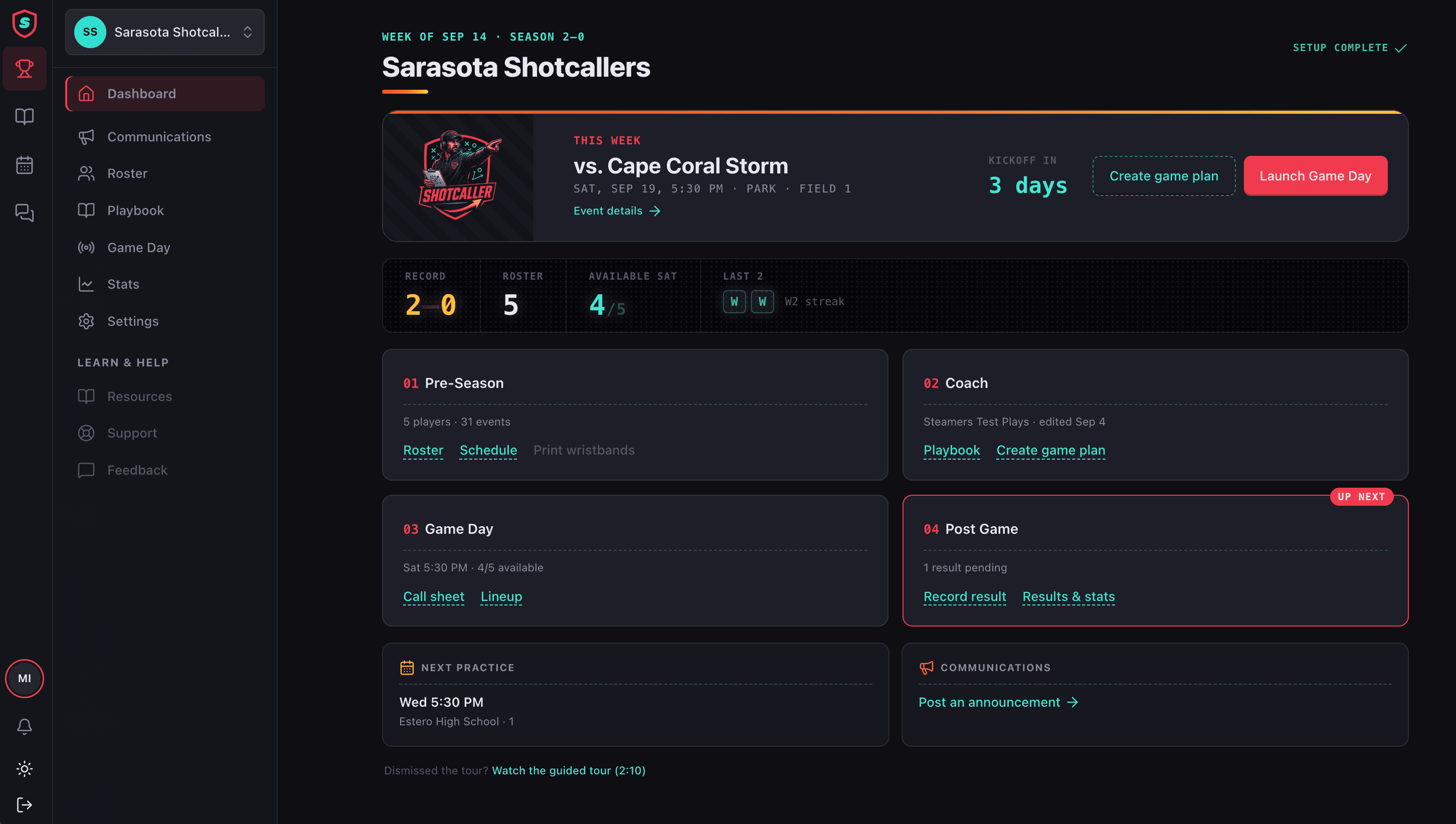
You got the whistle. Here's the rest.
Whether it's your first season or your fifteenth, the week runs the same way. Shotcaller has a place for every part of it.
- A real playbook you can build in an evening, or import in a minute.
- Opponent looks already drawn, so you know what you're prepping for.
- A game plan, a call sheet and wrist cards, printed from the same plan.
- One place for the schedule, the chat and the announcements parents read.
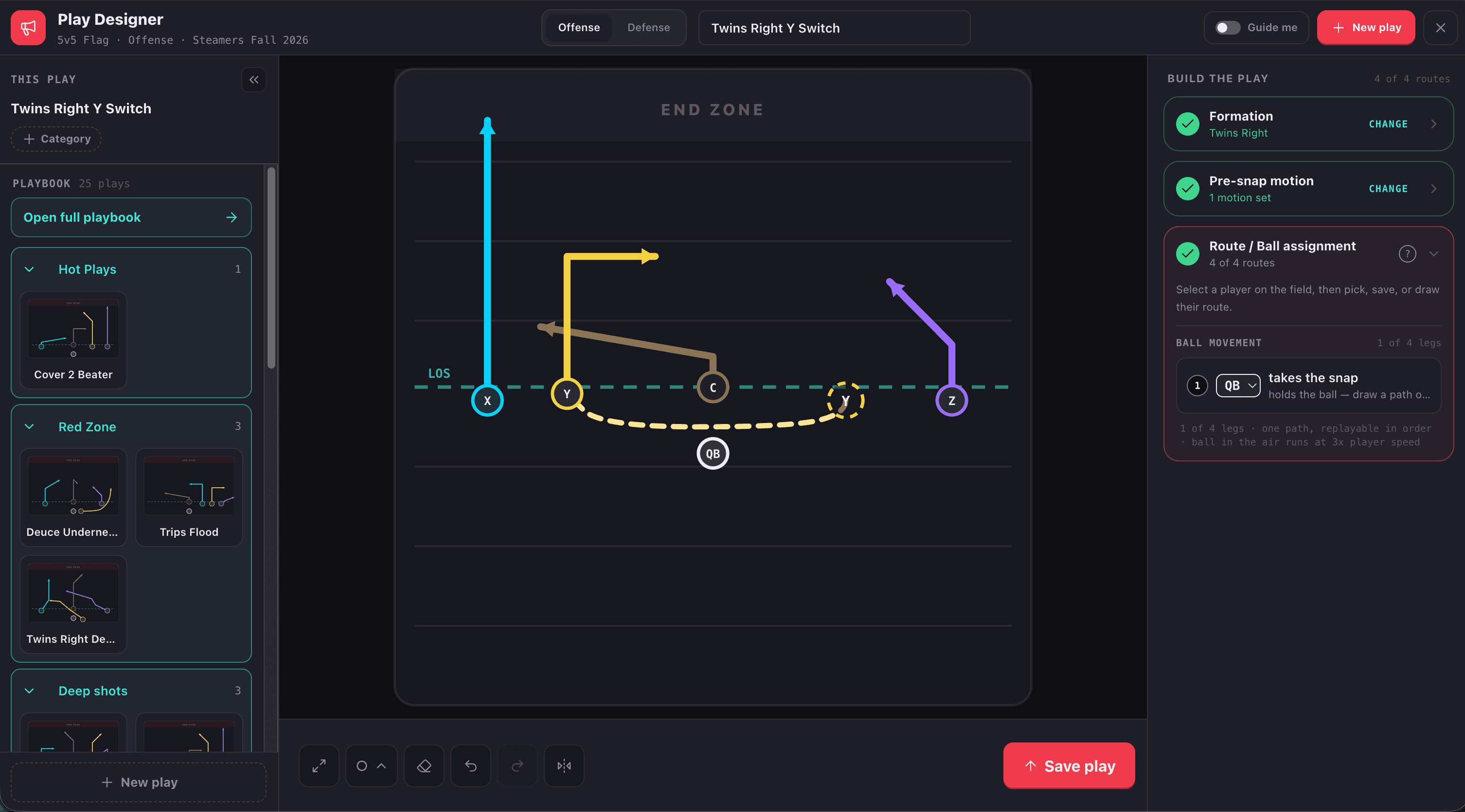
Play designer
Formation to finished play in seconds.
Drop the formation, pull routes from the tree or draw them freehand, and the play is done before you've named it. Guidance on when you want the rules checked, off when you already know them. Reverses, double passes, flea flickers — a trick play takes the same seconds as a slant.
Guidance on, or off
On, it keeps routes legal and spacing sane. Off, it gets out of your way.
New formations in one drag
Put five players where you want them, save it, and every play built on it starts there.
Trick plays, no workaround
Motion, laterals and second throws are first-class, not a hack in the notes field.
Numbered, named, findable
Plays get numbers inside a playbook and names you'll say out loud.
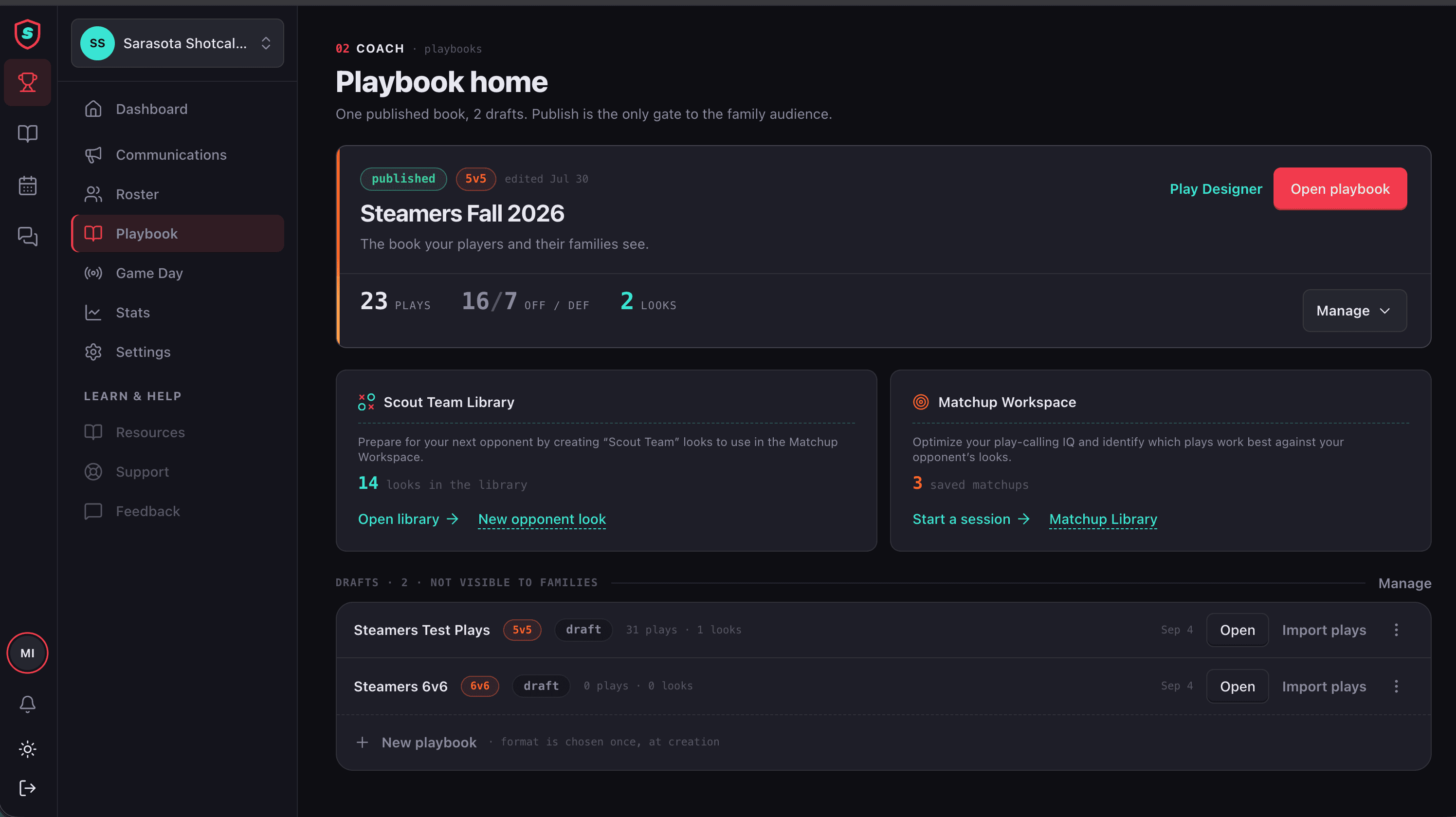
Playbook import
Bring the playbook you already have.
Import any PDF playbook — last year's coach, a clinic handout, one you bought online — and install it as real, editable plays. No redrawing. No week lost to data entry. Every imported play runs in the Matchup Workspace the moment it lands.
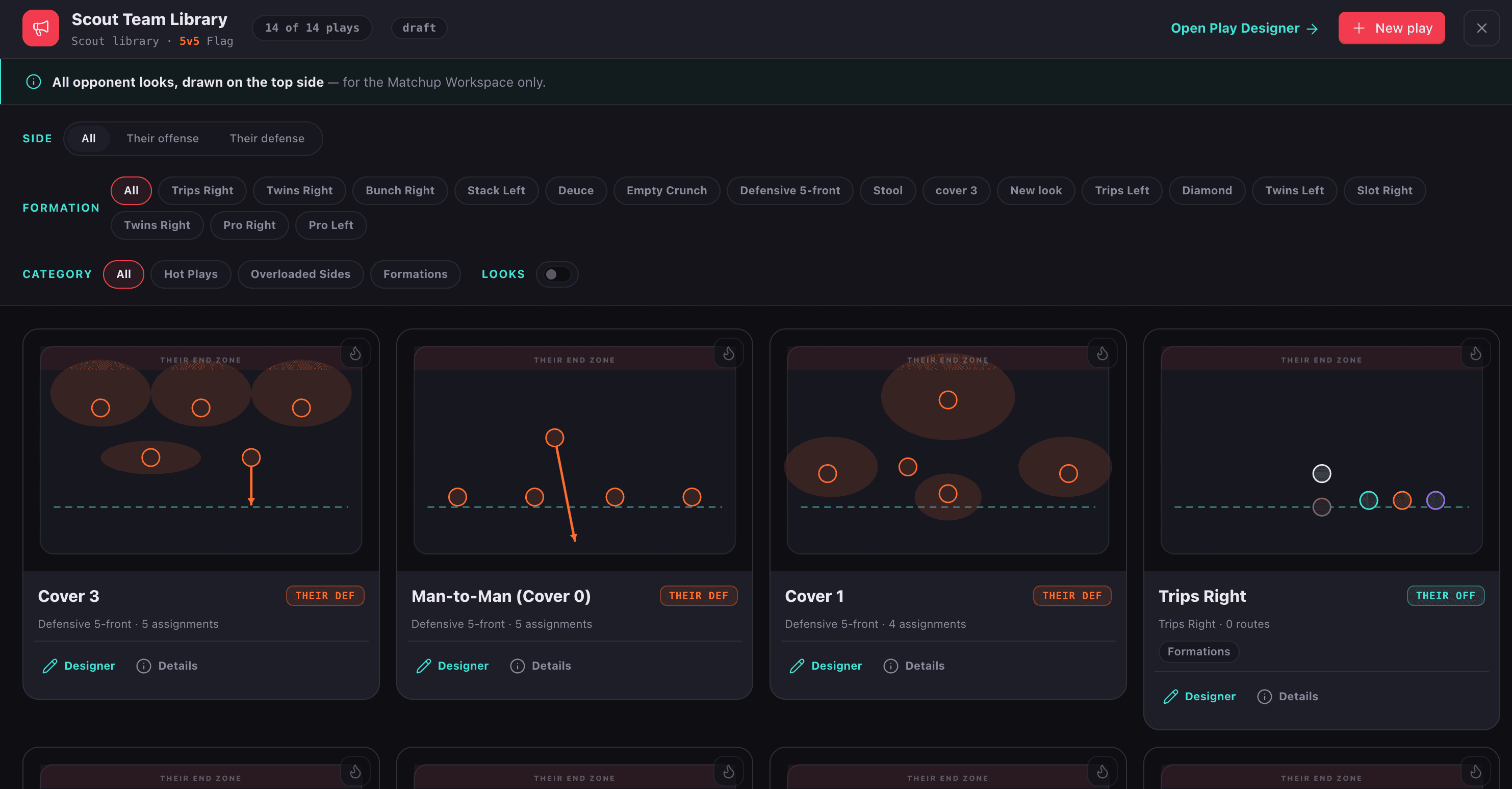
Scout team library
Know the look before you see it.
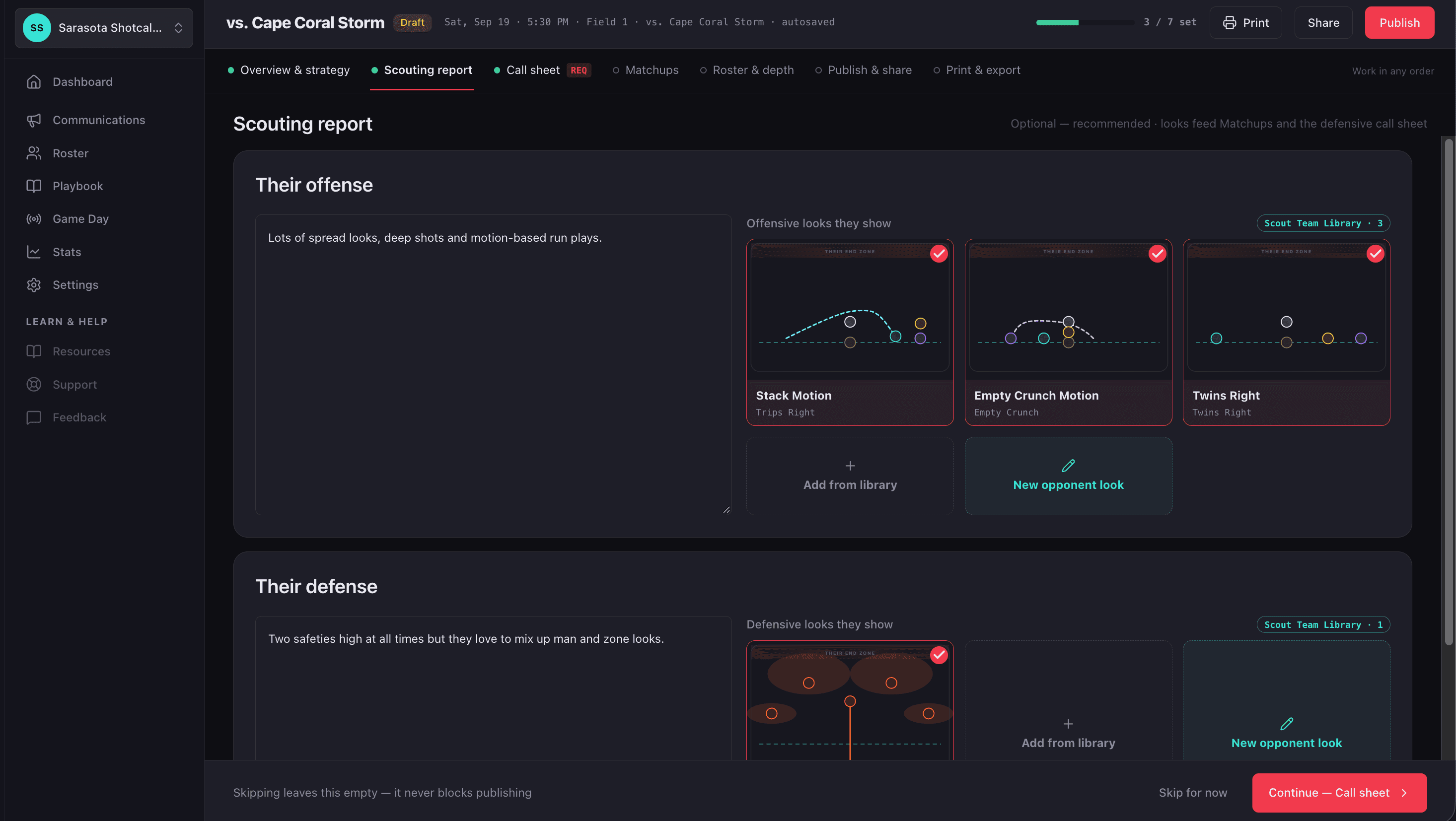
Every flag defense you'll face this season is in the scout library — and every offense your defense has to stop. Pull the look, run your playbook against it, and walk into Saturday having already seen what they're going to do.
Ready-made scout looks
Man, zone, blitz, two-high, trips, bunch, motion. Named the way coaches name them.
Your own additions
Draw what a specific opponent runs and save it under their name for next time.
Matchup Workspace
Stop calling plays on a hunch.
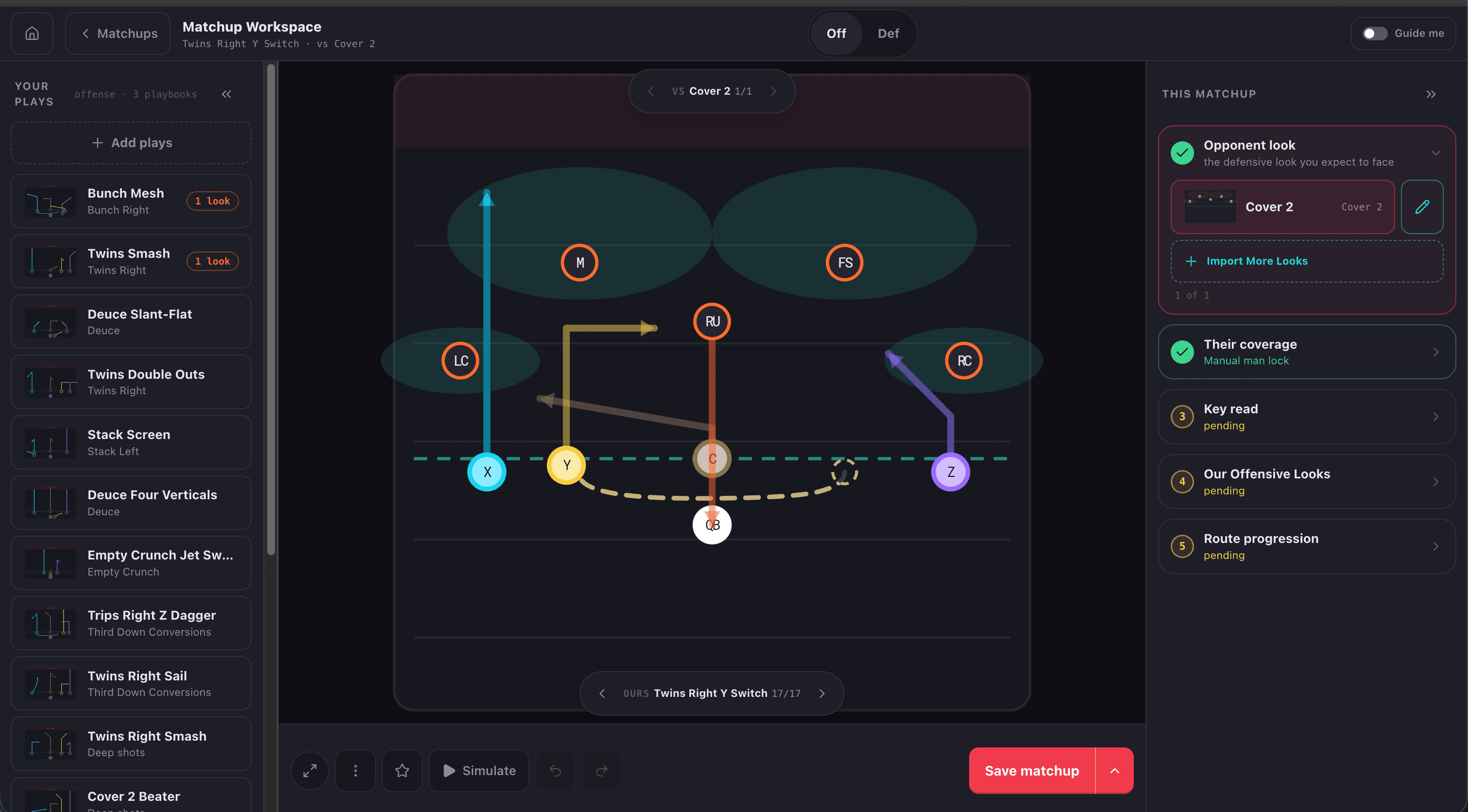
See your play against the defense that's going to try to stop it. Score how it does, mark who the quarterback should look at first, and save the matchup. Do that a few times a week and by mid-season you'll know exactly what to call when they line up — and so will your QB.
- 01
Watch it run
Your play against their look, played out on the field.
- 02
Rate what you see
Good against this, bad against that. The playbook remembers.
- 03
Teach the read
First look, second look, then run. Written on the play, not in your head.
- 04
Get better every week
Saved matchups and logged games make next week's plan sharper than this one.
Alternates
Build the audible before you need it.
When a look breaks a play, fork it. The alternate is a real play tuned to that look — same family, same name, a different answer. Offense gets audibles, defense gets checks, and your quarterback learns one call that covers both. That's play-calling IQ you can hand to a ten-year-old.
Game plan
A game plan built to exploit what they show.
Pick the opponent's looks from the scout library and Shotcaller pulls up every matchup you've saved against them, ranked. Drag the winners onto the call sheet, group them by situation, and print. Your Saturday plan is the sum of every Tuesday you've put in.
Ranked by matchup
The call sheet starts from what beats their look, not from alphabetical.
Sheet and bands agree
Wrist card slots come from the sheet. They can't drift apart.
Game logging
Log the game live. Feed the playbook.
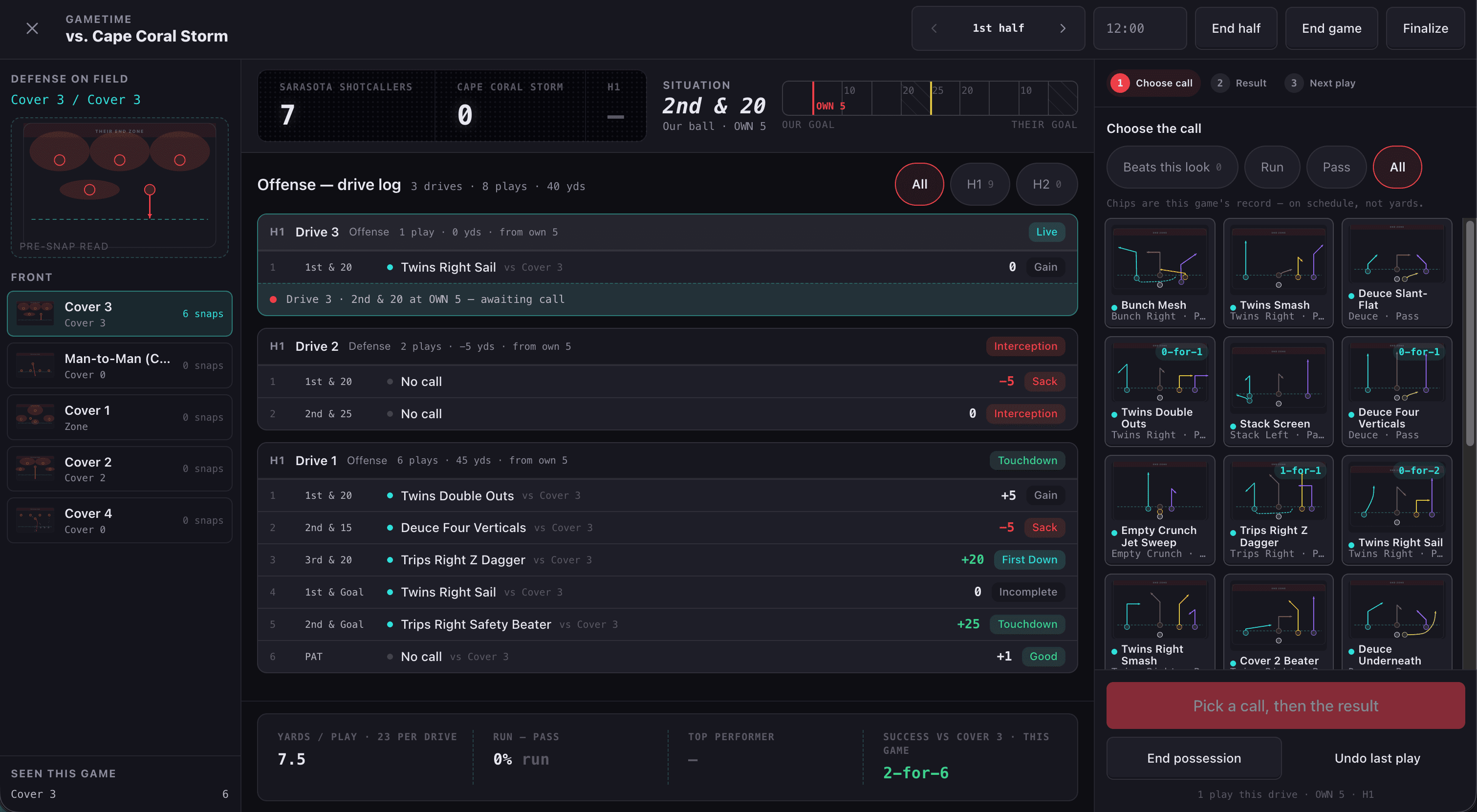
Tap the play you called and what happened — down, distance, result, who made it. Team and player stats build themselves. Every logged rep flows back into the matchup ratings, so next week's plan starts from what actually worked against that look, not from what you remember working.
Three taps per snap
Built for a sideline, one-handed, in the rain.
Team and player stats
Catches, flags pulled, conversions. Per game, per season, per kid.
Results ride with the play
Success rate by look, by situation, on the play card itself.
Matchup intelligence
Real outcomes sharpen the rankings you built in the workspace.
Team management
Everything a team app does. Minus the noise.
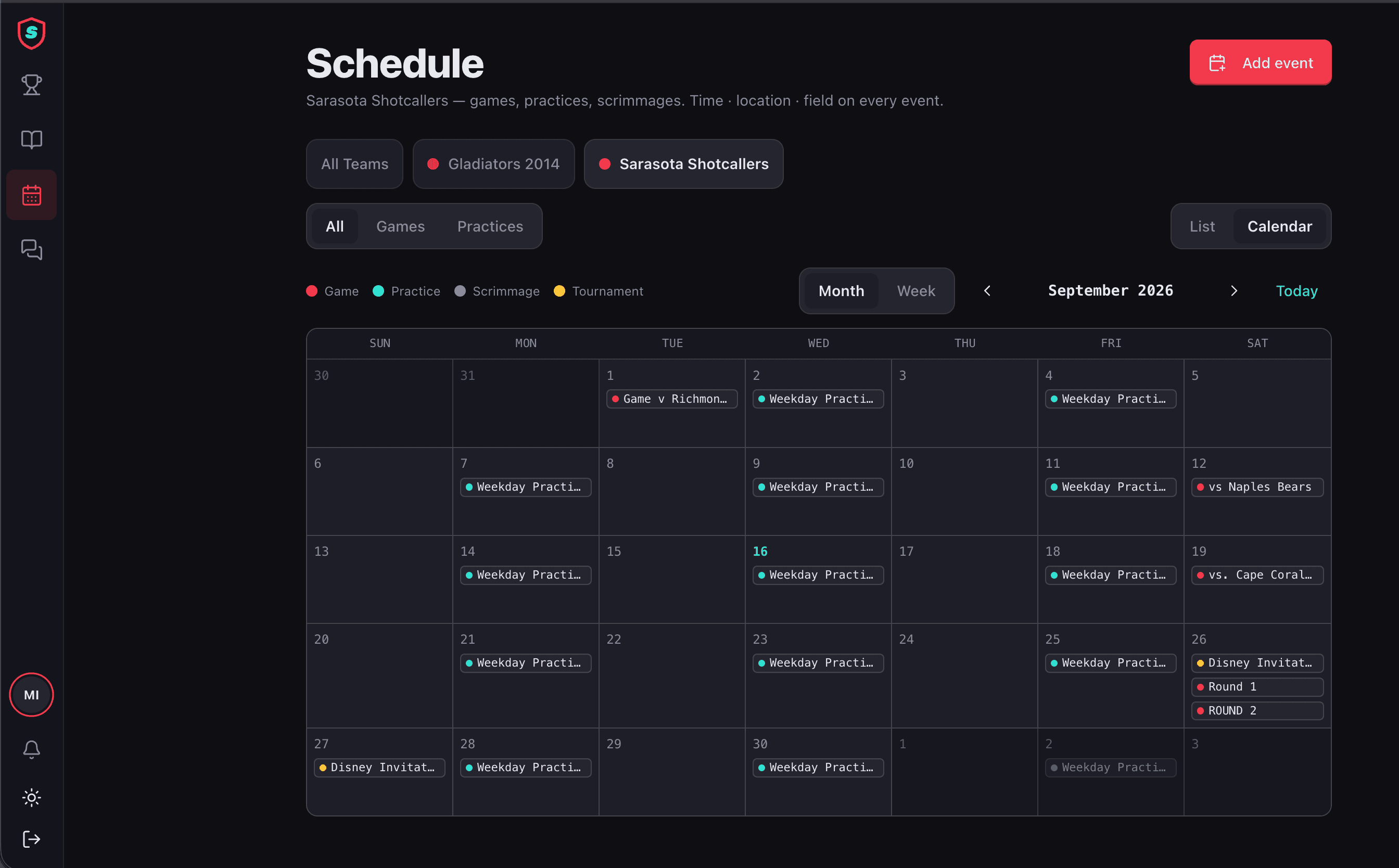
Roster, team chat, announcements, and a schedule for games, practices and tournaments — in the same app as the playbook. One calendar shows every team and every player you're attached to, so nobody switches teams to find Saturday's field. Coach announcements get their own notification, so a field change never gets buried under forty messages about snacks. Change the time, the field or the jersey, and everyone is told automatically.
Chat that parents can mute
Turn the chatter off and keep the coach's announcements on.
Tournaments that keep changing
Update the bracket once. The team gets the new time, not a new thread.
Automatic change alerts
Schedule, field or uniform changes notify the team without you writing a word.
One schedule, every team
Coach two teams or parent three kids — every game and practice is on one calendar. No switching teams to see where you need to be.
Why Shotcaller
Built by coaches and parents. For coaches, parents and players.
We coached the team, drew the plays in a slide deck, ran the group chat and answered the 11pm text about which field. Then we built the one app we kept wishing existed: better at the playbook than the playbook apps, better at the team than the team apps, and the only one where the two talk to each other.
Free to draw. Paid when it runs your team.
The play designer never expires and never asks for a card. Paid plans are for the parts that involve other people.
Free
$0/mo
Draw plays forever. No card, no clock on the designer.
Coach
$18.99/mo
One team, everything unlocked. The whole product for a head coach.
Pro Coach
$25.99/mo
For a coach running more than one team at a time.
Billed yearly saves 37%. Leagues, get in touch.
Coming to iOS
Draw on the iPad. Study on the phone.
Shotcaller runs in any browser today, iPad included. The native app is in progress — get one email when it lands.
Call the shots.
One playbook that learns. One team that's in the loop. One coach who knows the answer before the snap. Start with the play designer — it's free forever — and add the team when the season starts.